
Google Android is a mobile phone operating system built on the Linux kernel and GNU software. Google Android, developed by Google, is known for its high performance and open-source mobile phone operating system. It is fast on a mobile phone, so how would it be if it ran on real hardware such as your laptop or PC? Before asking how fast it is, you must be wondering if it is possible to run on a PC instead of a mobile phone. Of course it can — it’s based on the Linux kernel!
Thanks to the android-x86 team, who made it possible to run Android on a desktop. Android-x86 is a port of Android to the x86 architecture, which makes it possible to run Android on a PC based on x86 architecture. So it is still a 32-bit operating system.
What do we need to run Android-x86 on our desktop? It’s simple — all you need is to download the ISO from the website and a CD or flash drive.
See the steps below to do it:
1. Download the ISO from android-x86. See the link at the end of this article.
2. You can either burn it to a CD or mount it to a flash drive using Unetbootin. What is Unetbootin and how do you use it? See this article. And to burn the ISO to a CD you can use ImgBurn.
3. Once you have an Android bootable disc or flash drive, all you need to do is reboot your machine and choose to boot from CD or flash drive.
4. You will see the Android GRUB menu:
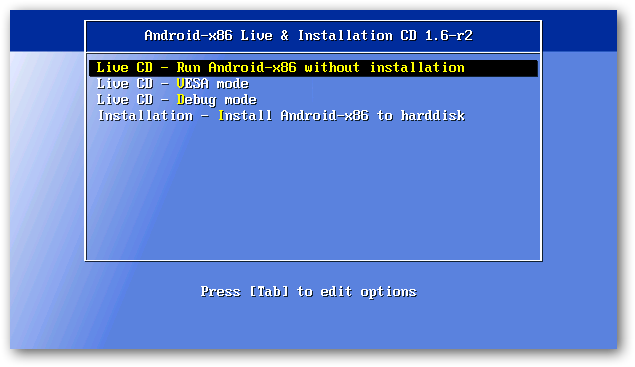
5. I would suggest you choose Live CD instead of installation to your hard drive, due to limitations of some hardware and features.
6. Just follow the booting screen for a while and you will see the Android desktop:
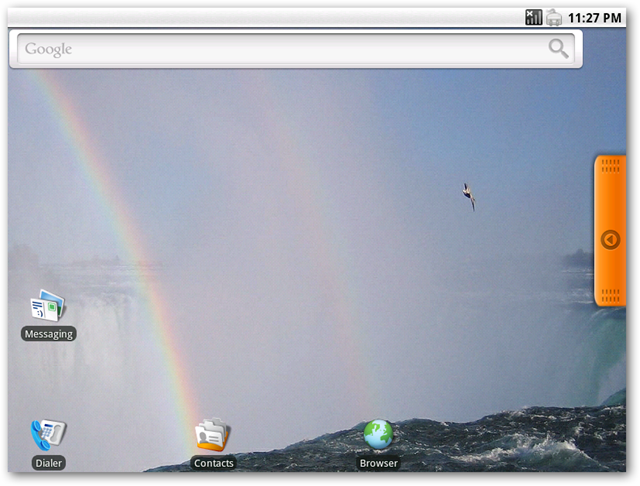
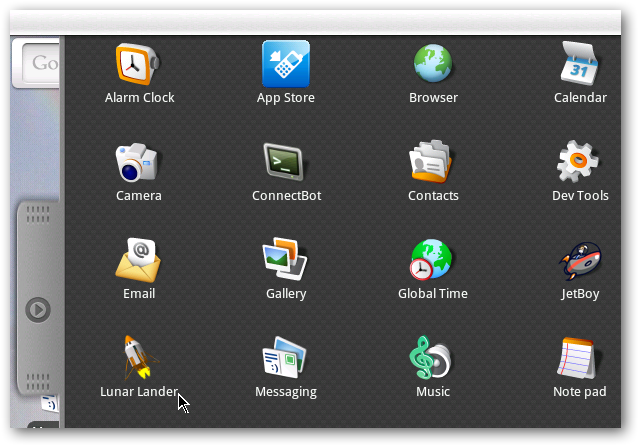
7. Now enjoy and feel how Android performs on your desktop.
I won’t suggest you install Android on your primary hard drive, due to limitations of hardware compatibility. But if you want to have fun and try it, you can follow these steps to do the installation.
So far as I tried on my laptop with Intel Centrino and 2 GB of memory, it is incredibly fast. Enjoy and have fun with the Android-x86.
Download:
Android X86 ISO image.