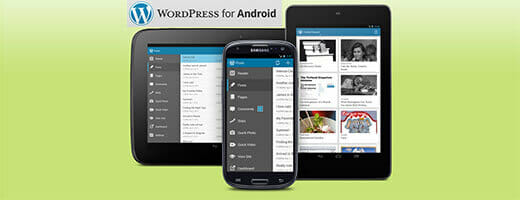
WordPress for Android has been out for a while. But I thought it might be a good share. WordPress for Android is available for free in the Google Play market. Please go to this URL to download it to your Android mobile now. With this app I can write on my blog anything and anywhere. Especially when I go shopping with my girlfriend — while waiting I do blogging 🙂
I have used WordPress for Android for a while now. It is not just for writing posts — I can reply to comments as well as see my website statistics. I use these two features a lot. For example, this post was also written from my mobile. The good part is it doesn’t need an internet connection at the time, because I can write offline and sync it when I get back online.
Besides writing posts/pages, comments, and statistics, there are also many other features. Readers — this feature is like a news feed for blogs you are following. It is useful but I don’t really use this, because I have another application for reading news called Feedly. Another cool feature is Quick Video — if you like to do vlog (video blogging), this feature might be useful for you. You can capture your video anywhere and anytime, then publish it through your blog post.
One thing missing from this application is the ability to upload an image to a post. What it can do is only Quick Photo, which just captures a picture and publishes it through the post. But for uploading an image and putting it into the post, this app still cannot do that. I hope in the future they can add this feature — it would be cool 🙂
Do you have any experience or tips/tricks to share? Please let me know in the comment box below. Thanks.