It’s been a month since I moved back to Ubuntu as my primary OS. I would like to write about one of the most used commands in Linux: “find”. This command is like magic for searching anything I want on my hard drive. I can find text inside a file, or filter for a certain extension. I can search for files with the latest modified time and also by file size.
List of Linux “find” command uses I use most:
1. Find all PHP files in a directory:
find . -type f -name "*.php"2. Find a file by name:
find /etc/ -type f -name "php.ini"3. Find files with wrong permissions (I use this because suPHP needs file permission 755):
find . -type f -perm 0777
#OR
find . -type f -perm -o=w
#And to change them to the correct permission, I use this command:
find . -type f -perm 0777 -print -exec chmod 755 {} ;
find . -type d -perm 777 -print -exec chmod 755 {} ;
4. Find unnecessary files and remove them. (Use this with extreme caution):
find . -type f -name "*.cache" -exec rm -f {} ;
#to remove empty files:
find /tmp -type f -empty -exec rm -f {} ;
5. Find files by modified date:
#this will find all PHP files modified yesterday
find . -type f -name "*.php" -mtime -1
#this will find all PHP files modified in the last 2 hours
find . -type f -name "*.php" -mmin -120
6. Find files by file size:
#Find zip files larger than 2MB
find . -name "*.zip" -size +2M
7. Find a text string in all files:
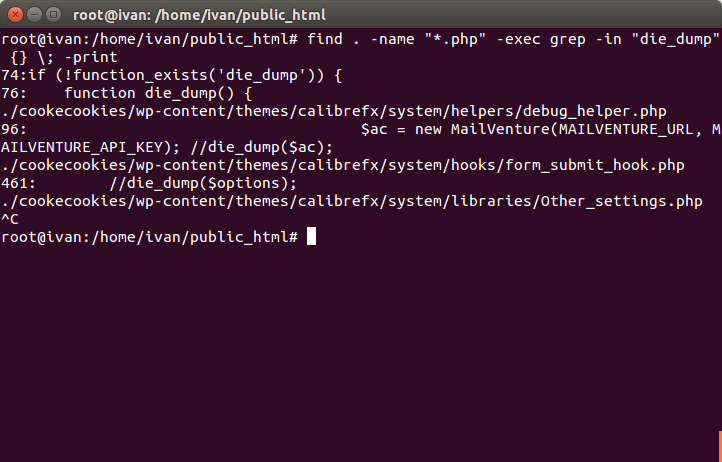
#this will find "die_dump" in all php files
find . -name "*.php" -exec grep -in "die_dump" {} ; -print