A couple of months ago Google App Engine announced their support for PHP. It is the fourth language supported by Google App Engine after Python, Java, and Go. For all PHP developers this is good news — we could use Google App Engine power for our own web applications. So now I would like to share a little about how to start your own Google App Engine using PHP. Imagine that you can use WordPress or Laravel framework with Google App Engine.
Please follow the steps below:
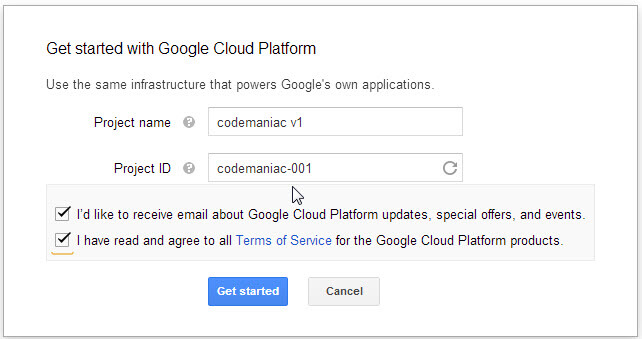
1. Before you begin to use GAE for PHP, you may need to create your Google App Engine account. Create your first project and name it.
2. You may need to do verification by SMS.
3. Now you need to download the Google App Engine SDK. Download it here. As a prerequisite you need to download Python 2.7.
4. After you finish installing both Python 2.7 and the GAE SDK, you can open the launcher. See the screenshot below:
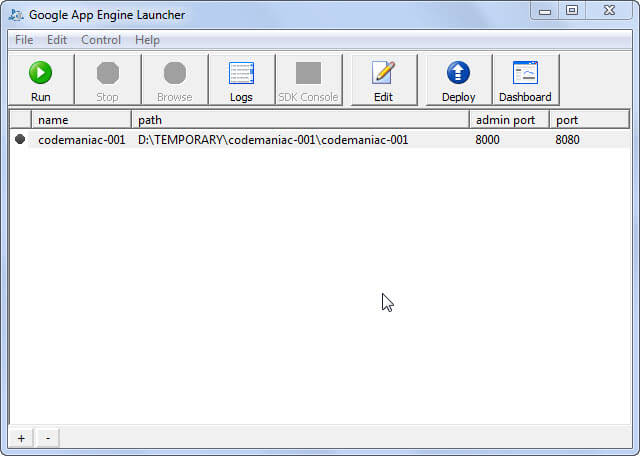
5. Now you need to create your application by going to File > Create New Application. Fill in the details, and remember the application name should be the same as your GAE Project Name. And don’t forget to choose the runtime as PHP instead of Python.
6. Now it is ready for you to run. Just press the run button at the top left corner, and open it in your browser at https://www.ivankristianto.com/. You will get your first “Hello World” on the screen.
7. Now you can open the project folder and update the main.php file as you wish.
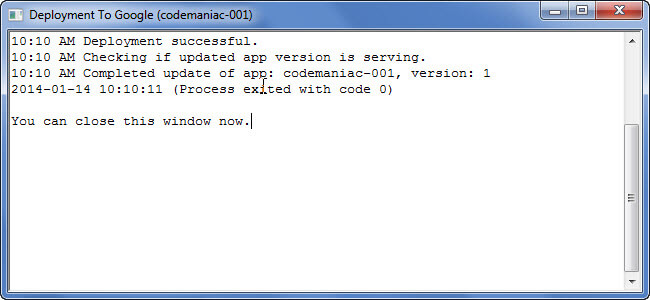
8. Now let’s deploy it to Google App Engine. Just press the deploy button and fill in your Google email and password. When finished you can see a result like the screenshot below:
9. To see your first application on the web you can go to: [your-project-name].appspot.com. In the example you can visit my first project at http://codemaniac-001.appspot.com/.
10. That’s it!
Creating your first application on Google App Engine is very easy, right? After this I will cover the topic of how to use the database, so you can use WordPress or Laravel on top of Google App Engine. I hope this article can jump-start your next kick-ass project.