Please be cautious and keep your Facebook account and password safe. There are lots of ways to steal your Facebook account and password if you are not careful. One of them is phishing websites. According to Wikipedia, phishing is the criminally fraudulent process of attempting to acquire sensitive information such as usernames, passwords and credit card details by masquerading as a trustworthy entity in an electronic communication. Phishing is typically carried out by e-mail or instant messaging, and it often directs users to enter details at a fake website whose look and feel are almost identical to the legitimate one.
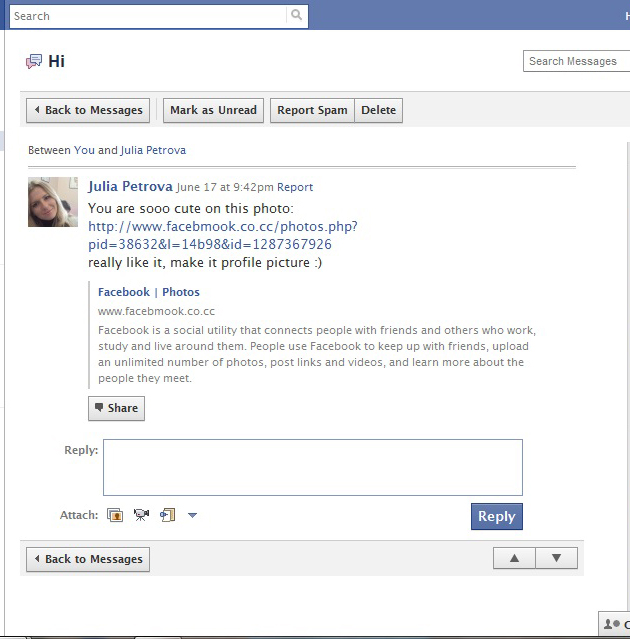
Today I got a message from an unknown sender in my Facebook inbox. See the screenshot below:
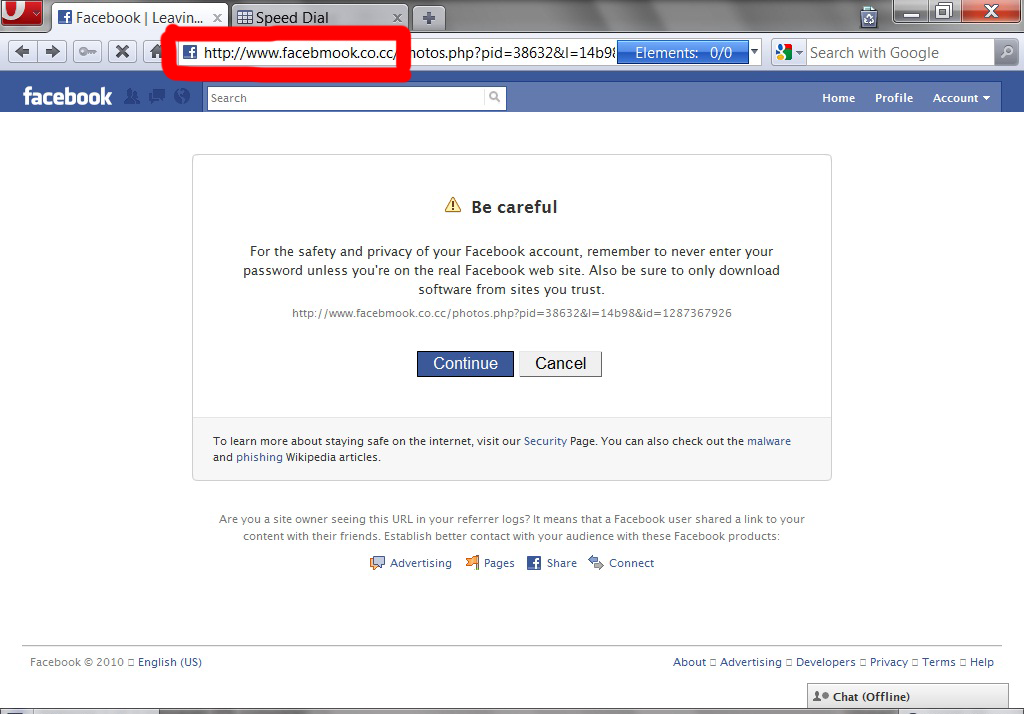
Knowing it was a phishing message, I tried to open that link in another browser. See the next screenshot:
And then a “Facebook-like” login page appeared:
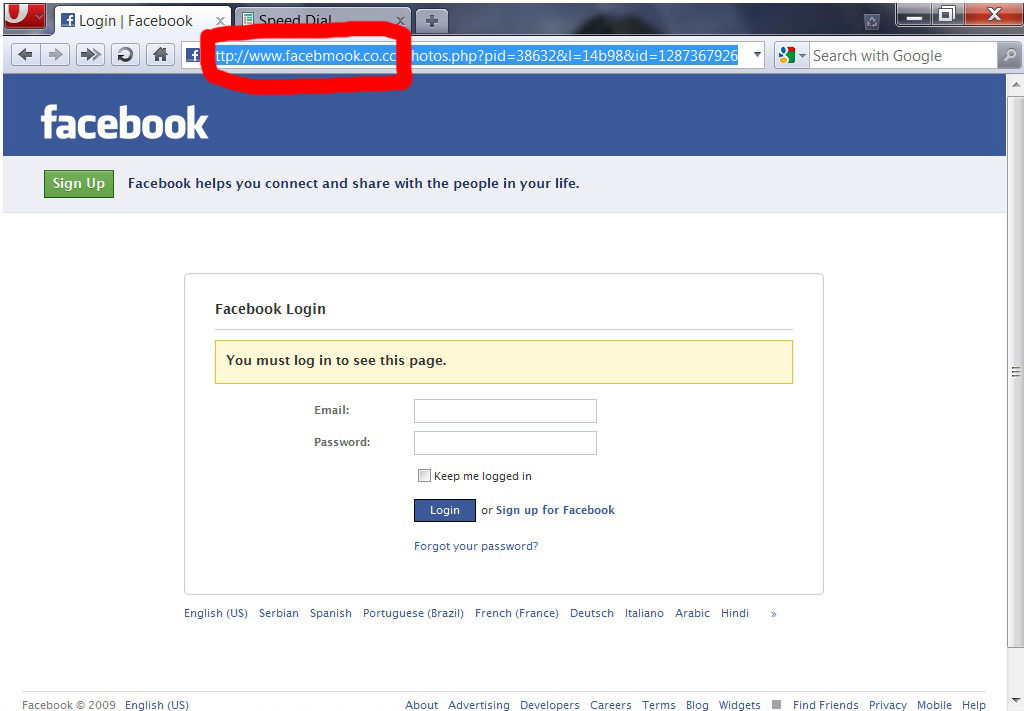
If you just look at the login form, there is nothing strange — it really is similar to the Facebook login page. But please see the address bar: www.facebmook.co.cc, busted! That’s not a Facebook URL! So if you are not careful and you put your login and password there, the attacker can get your information and take control of your account.
Here are some tips for your own safety:
- Be careful with unknown messages from unknown people, or don’t even read them — just close them.
- Don’t open any link from Facebook in your email inbox; there is a possibility it’s not from Facebook. You need special skill to tell what’s real from what’s fake.
- Go to your Facebook privacy settings and set them to very strict.
- Always check the address bar before you enter your login information. Make sure it is the correct address.
- If you receive an unknown message from unknown people that asks you to click any link or enter login information, report it as spam to Facebook and let Facebook handle the rest.
There are tools to keep your login safe. Please see my previous post for more details: Best Tool For Password Manager In Windows.