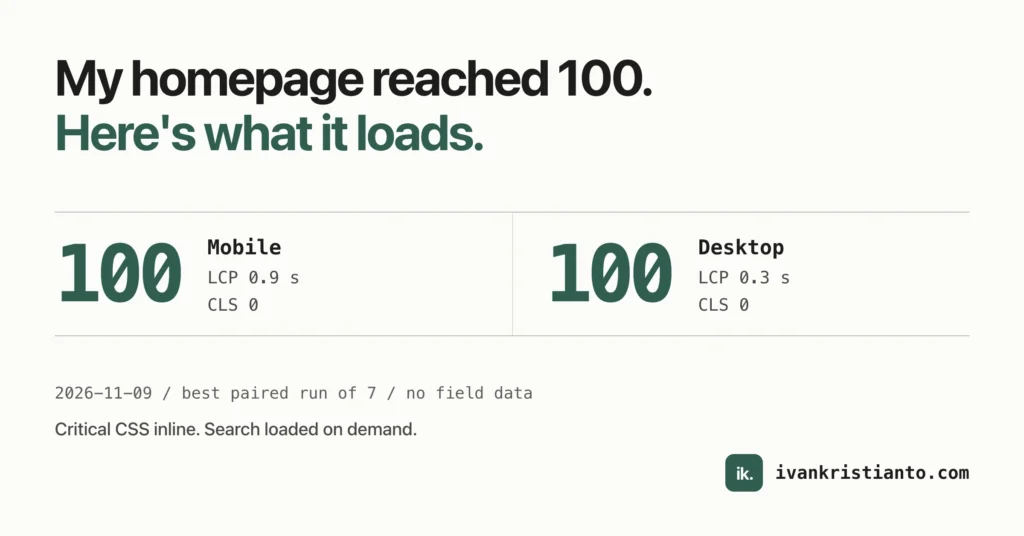
My homepage scored 100 in PageSpeed Insights on mobile and desktop on November 9, 2026. Here’s the WordPress performance work in my block theme behind that score: what it makes the browser download first, what it holds back, and what each choice costs.
The short version: block styles live with their blocks, the homepage’s CSS is inlined in the HTML, search code loads only when you open search, and the homepage portrait is requested early.
My older posts on this were about classic themes and caching plugins. This blog now runs ik2, a block theme I built with Full Site Editing (FSE), and ships as Docker images on Dokploy, which my WordPress architecture post covers.
I love web performance, so I wanted to write down how the theme works.
WordPress performance starts with where the CSS lives
Core handles part of this for a block theme, and the theme handles the rest.
What WordPress already does for a block theme
WordPress 6.8 added the should_load_block_assets_on_demand filter and split it from the older should_load_separate_core_block_assets. The new filter decides whether a block’s assets load only on pages that use the block. The old one decides whether core blocks get their own stylesheets instead of one combined library. Block themes get both turned on by default.1 If you’ve seen advice to add those filters, a block theme doesn’t need it.
Each block brings its own stylesheet
The theme’s own CSS is where I had more to gain. The Theme Handbook says to start with theme.json. For extra CSS, wp_enqueue_block_style() attaches a stylesheet to one block, and passing a file path lets WordPress inline it.2 My custom blocks do the same through block.json. The now-card block declares "style": "file:./style.css", so its CSS only loads on pages that show a now-card.3
That’s the opposite of what I wrote in 2010 about minifying and combining CSS and JavaScript. Minifying still makes sense. Combining everything into one file would undo the split and send every page styles it never uses.
Template styles load per request
Some styles belong to a whole template, not one block: the homepage sections, the article layout, the archive grids. Each has its own section file, and the theme picks them per request, so the contact page never downloads the homepage’s layout CSS.4 Block themes give you good defaults, but one global theme stylesheet would put all those bytes back on every page.
No stylesheet requests on the homepage
On the homepage and single posts, the theme puts its CSS inside the HTML instead of linking stylesheets.
Critical CSS goes inside the HTML
The theme reads build/critical.css and attaches it with wp_add_inline_style() to a stylesheet handle that has no file. That covers typography, layout, the header and the footer. On the homepage and single posts, inc/assets.php adds the template’s section styles to the same inline block. Other templates load their section styles as normal files the browser can cache.4
It also inlines two core stylesheets: navigation on every page, and image on the homepage. If the theme can’t read the file, it keeps the normal stylesheet link, so a failed file read never leaves the menu unstyled.4
What the homepage actually ships
On November 9 the live homepage had zero external stylesheets and 109,927 bytes of CSS inside <style> elements. That’s WordPress block CSS, global styles and theme CSS together, counted as UTF-8 text, not compressed transfer size. Zero stylesheet links doesn’t mean zero CSS.
You can run the same check in your browser console:
const styles = [...document.querySelectorAll('style')];
({
  externalStylesheets: document.querySelectorAll('link[rel="stylesheet"]').length,
  inlineStyleBytes: styles.reduce(
    (bytes, style) => bytes + new TextEncoder().encode(style.textContent).length,
    0
  ),
});
On my homepage it returned:
externalStylesheets: 0
inlineStyleBytes: 109927
What inlining costs
Inlining has a cost. The CSS can’t be cached as its own file, so every page you open downloads it again inside the HTML. Cloudflare APO caches my HTML at the edge, as I described in the strict CSP article, but that doesn’t give the browser one shared CSS file across pages.
I haven’t compared this with an otherwise identical version that uses external CSS, so I can’t tell you how much inlining alone wins. That depends on your templates, how much CSS you have and how many pages a reader opens.
Search waits, the portrait doesn’t
Two things on the homepage need opposite treatment. Search code can wait until you ask for it, and the portrait has to arrive as early as possible.
Search loads when you open it
The command palette doesn’t need to be there when the page first renders. The theme’s starting JavaScript only listens for a click on Search or the keyboard shortcut, then loads the palette with a dynamic import(). Hovering or focusing the Search button starts that import early, so most of it may be loaded by the time you click.5 The palette module brings its own stylesheet.6
Before search was opened, no palette files had loaded. After opening it, palette.js and palette.css showed up in Resource Timing and the search dialog was open. That shows the split works. It doesn’t measure how fast the dialog opens.
The first open may wait for those two files. Hover warming helps mouse users, but press the shortcut without touching the button and you get the cold path. Deferring code moves the work to the interaction, so test the interaction too, not only the page load.
The portrait gets requested first
The homepage portrait needs the opposite treatment. The theme prints a preload for it near the top of <head>, with imagesrcset and imagesizes matching the image’s own responsive candidates. The image gets fetchpriority="high", loading="eager", explicit width and height, and two WebP files, 340px and 500px wide.4 In a desktop viewport, the browser picked the 340px file for a frame shown at 338px.
That makes the browser find the image early and never lazy-load it. It doesn’t make the portrait the Largest Contentful Paint (LCP) element at every screen size, so look at the LCP element in your own report before copying the preload to another template. My article pages use a different layout and load images differently.
Several runs to get a 100
The homepage went through PageSpeed Insights several times on each device before both showed 100.
Every run from November 9
To repeat the test, open PageSpeed Insights, enter your homepage URL, choose Analyze, and check both the Mobile and Desktop tabs. Keep the report link with each result.
Here’s every performance score from November 9, homepage only, with no changes to the site in between:
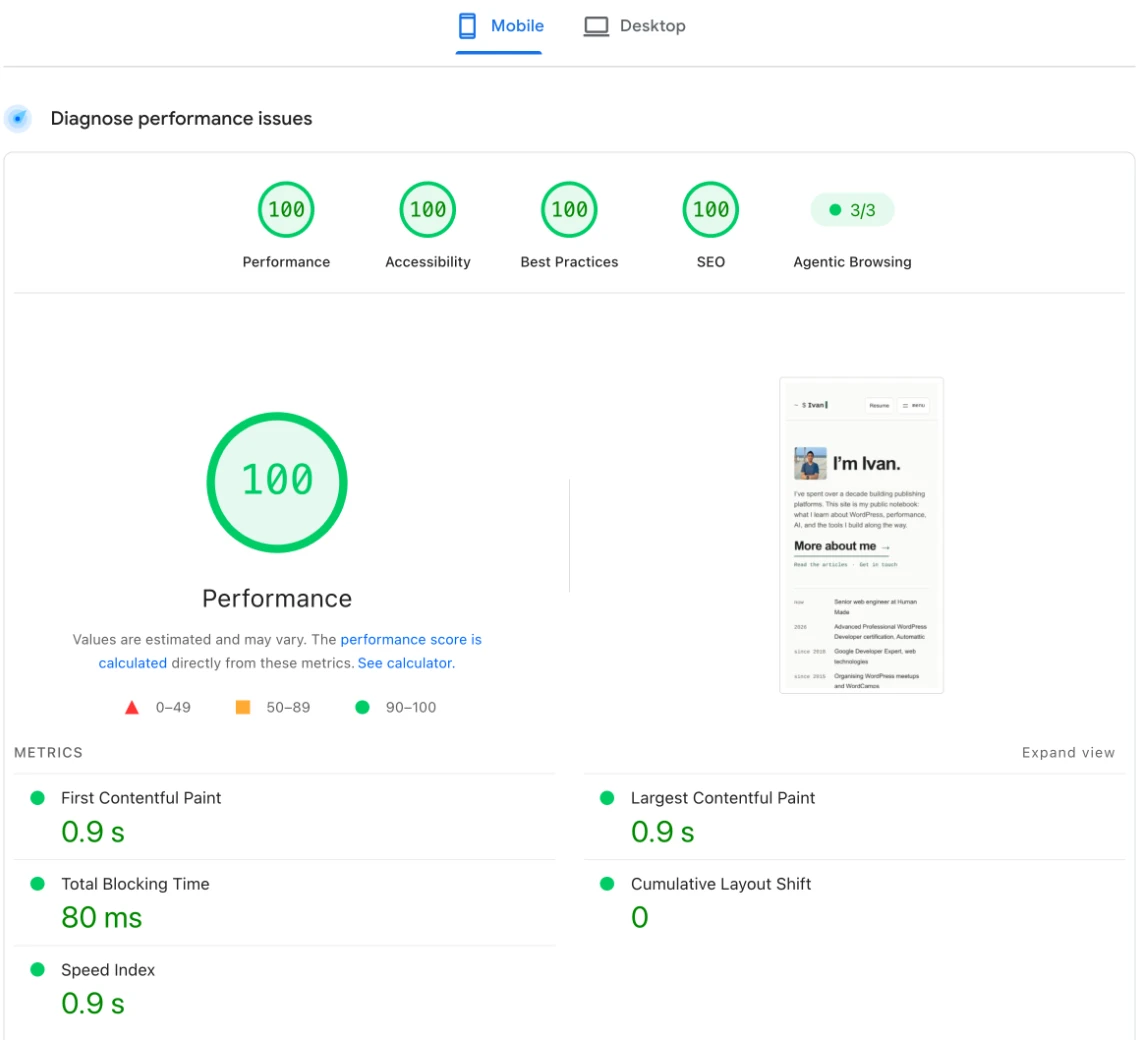
mobile:   99  99  99  99  99  99  100
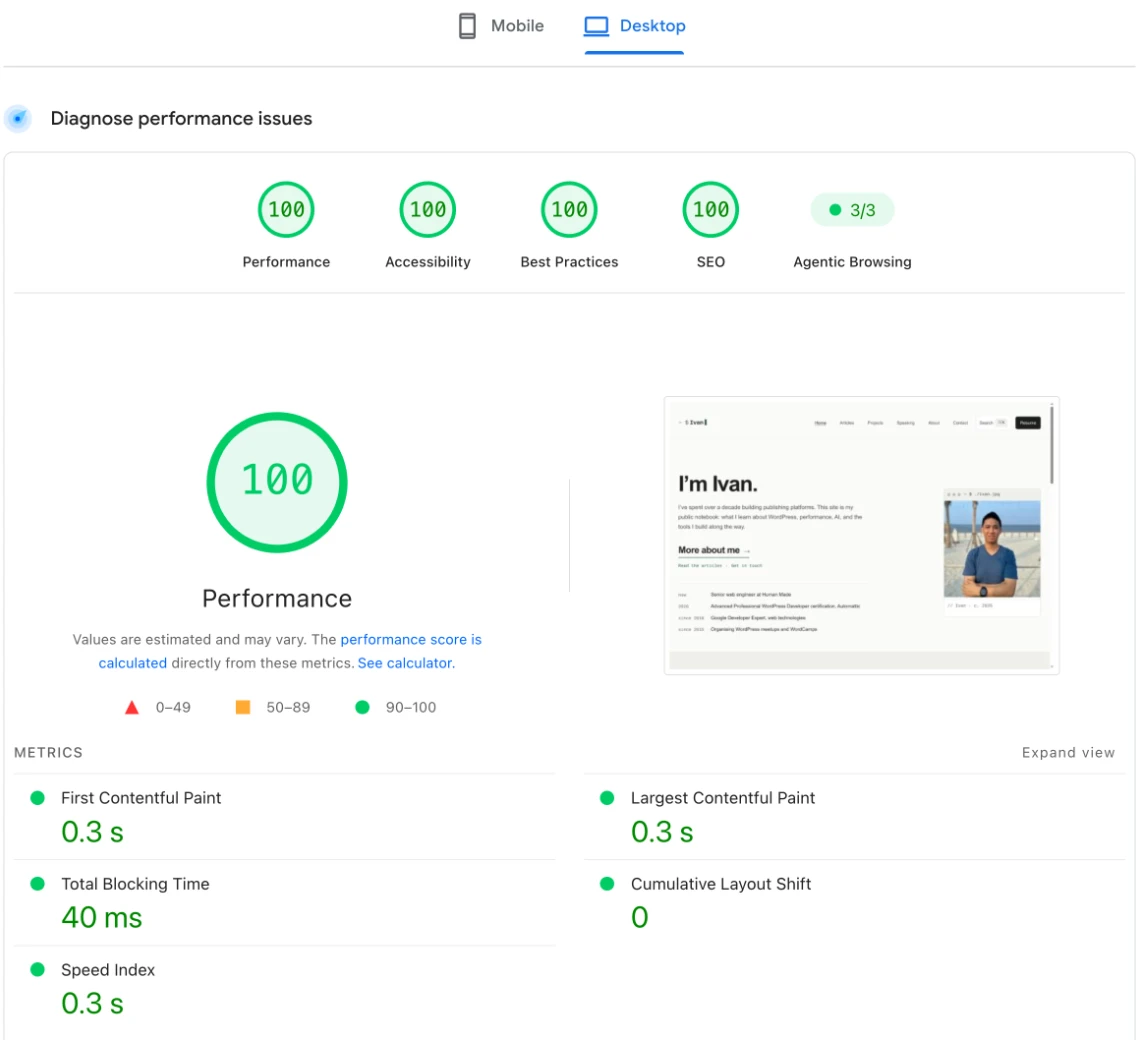
desktop:  96  99  98  98  100 100 100
The last pair hit 100 in performance, accessibility, best practices and SEO on both devices.7
What a lab 100 doesn’t tell you
The report used Lighthouse 13.6.0. Mobile emulates a Moto G Power on Slow 4G, and desktop uses its own throttling profile. Neither tab had real-user data.7 PageSpeed Insights normally shows Chrome UX Report data from the last 28 days next to the lab results, and falls back to the whole origin when a URL doesn’t have enough visits.8 Mine showed none.
So a lab 100 doesn’t mean the site passes Core Web Vitals for real visitors. Total Blocking Time (TBT) isn’t Interaction to Next Paint (INP), and real visits come from devices, networks and clicks that a page-load test never sees.9 These runs also can’t tell you which theme change helped most. They show the homepage loads well under these test conditions, and that’s all I’m claiming.
If you’re checking your own block theme
Start with these three:
- Look at what the homepage actually loads before you change any asset settings.
- Open the interactive parts, like search, and see what loaded only then.
- Keep every test run, including the ones that don’t make the screenshot.
Sources
- 1 https://make.wordpress.org/core/2025/03/24/new-filter-should_load_block_assets_on_demand-in-6-8/ ↑
- 2 https://developer.wordpress.org/themes/features/block-stylesheets/ ↑
- 3 https://github.com/ivankristianto/ik2/blob/389872aad7054709df93fc9e54e08954105ad908/wp-content/themes/ik2/blocks/now-card/block.json ↑
- 4 https://github.com/ivankristianto/ik2/blob/389872aad7054709df93fc9e54e08954105ad908/wp-content/themes/ik2/inc/assets.php a b c d
- 5 https://github.com/ivankristianto/ik2/blob/389872aad7054709df93fc9e54e08954105ad908/wp-content/themes/ik2/src/index.js ↑
- 6 https://github.com/ivankristianto/ik2/blob/389872aad7054709df93fc9e54e08954105ad908/wp-content/themes/ik2/src/palette.js ↑
- 7 https://pagespeed.web.dev/analysis/https-www-ivankristianto-com/x3dfg0jhkq?form_factor=mobile a b
- 8 https://developers.google.com/speed/docs/insights/v5/about ↑
- 9 https://web.dev/articles/lab-and-field-data-differences ↑