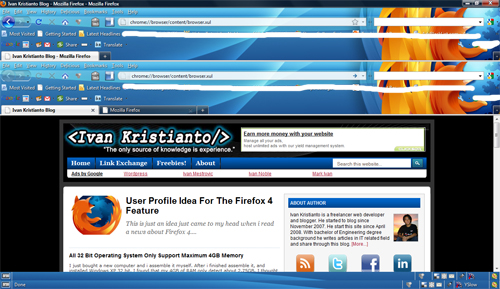

Mozilla Firefox with the multi-tab feature has been around for a while. The multi-tab feature enables users to open many pages in just one window. That’s great for user experience and friendliness. But do you know that you can open Firefox browser inside a Firefox tab? Yes, you can do it easily.
Here are the steps to open another Firefox browser inside a Firefox tab:
1. Make a new blank tab (you can use Ctrl+T)
2. Type this into the toolbar:
chrome://browser/content/browser.xul3. And boom: you can see as the screenshot below: