
Gist is a snippet code repository made by GitHub to share snippets and pastes with others. Gist is also a git repository, so you can version, fork, and branch like a git repository. As a developer, I’m sure you have a lot of code snippets. GistBox is a web application, easily installed and available as a Chrome extension, that helps you create, manage, search, and share your Gists.
GistBox needs your GitHub account to connect so you can publish your Gist from GistBox to GitHub. To install GistBox you can find it in the Chrome Web Store here.
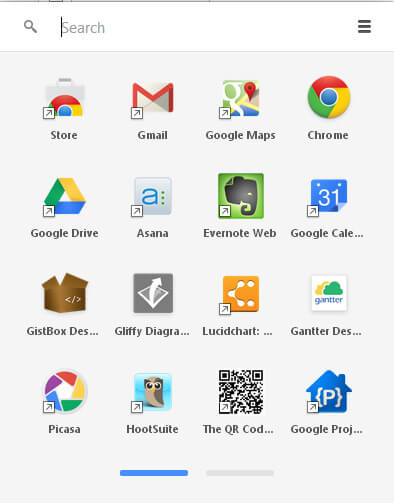
As another tip, you can install Chrome App Launcher to easily launch your Chrome applications from your taskbar.
GistBox Features
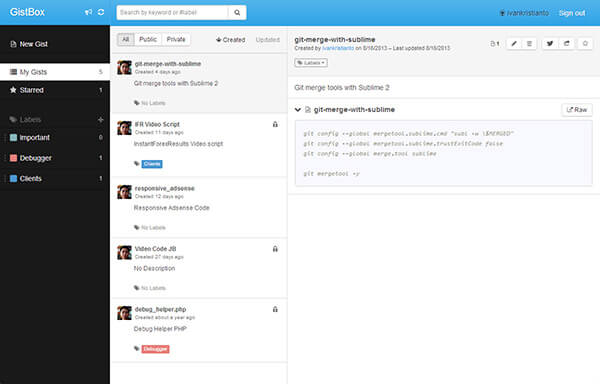
- Split-Panel Browsing — In GistBox there are 3 panels: first is the navigation, labels, and Gist structure; second is your gists with the title, description, and labels; third is your snippet code. So it is very easy to manage your code snippets.
- Color-Coded Labels — You can add labels to your gists. This is a cool feature that makes it easy to manage and search your gist files.
- Search and Filters — The reason I’m using GistBox is because it has a great search function. All I need is to put everything in there and search for it easily when I need it.
- Feature-Rich Code Editor — GistBox comes with a color-coded editor, so if you paste any programming language, it will automatically color code it.
- Keyboard Shortcuts — This makes my work even faster. For example, to add a new Gist is ALT+N and to edit a gist is CTRL+E.
- Collapsible File Views — One gist can have more than one file. Each file can be collapsed, keeping the code you want in focus and hiding the rest.
- Web Clipper — This feature is new in GistBox. You can add this as another Chrome extension so you can clip any code with just one button.
You may be concerned about the security and privacy of your snippet code. GistBox connects to GitHub and all your data is saved on GitHub’s servers with your GitHub account. So in any case, your snippets will never be lost because they are stored in the cloud, with real-time updates and sync. And above all, you can choose whether your code is public or private. If it is a private Gist, only you can see those snippet codes.
I hope this post helps you manage your snippet codes. If you have more tips, please let me know in the comment box below.