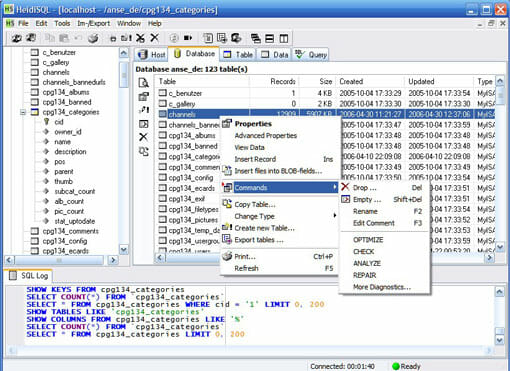
I bet many of you know what MySQL is and probably use it a lot. One of the best MySQL client tools is MySQL Workbench as it has all the fancy features. But it is too heavy to use. So instead of designing the database structure, I’m using HeidiSQL to administrate my MySQL server. I found it extremely light and easy to use.
HeidiSQL is a lightweight, Windows-based interface for MySQL databases. It enables you to browse and edit data, create and edit tables, views, procedures, triggers and scheduled events. Also, you can export structure and data either to SQL file, clipboard or to other servers.
Why HeidiSQL? Well, I use it often because it is light and fast. I like MySQL Workbench but it is not simple to use. I’m using HeidiSQL mostly to administrate my MySQL databases: clone, create and optimize queries. And since HeidiSQL has a good syntax highlighter and auto completion, it makes it more fun to build complex queries.
HeidiSQL Features
- Connect to multiple servers in one window
- Connect to servers via command line
- Create and edit tables, views, stored routines, triggers and scheduled events
- Generate nice SQL exports
- Export from one server/database directly to another server/database
- Manage user privileges
- Import text files
- Export table rows as CSV, HTML, XML, SQL, LaTeX and Wiki Markup
- Browse and edit table data using a comfortable grid
- Bulk edit tables (move to db, change engine, collation, etc.)
- Batch-insert ASCII or binary files into tables
- Write queries with customizable syntax highlighting and code completion
- Pretty reformat disordered SQL
- Monitor and kill client processes
- Find specific text in all tables of all databases of one server
- Optimize and repair tables in batch