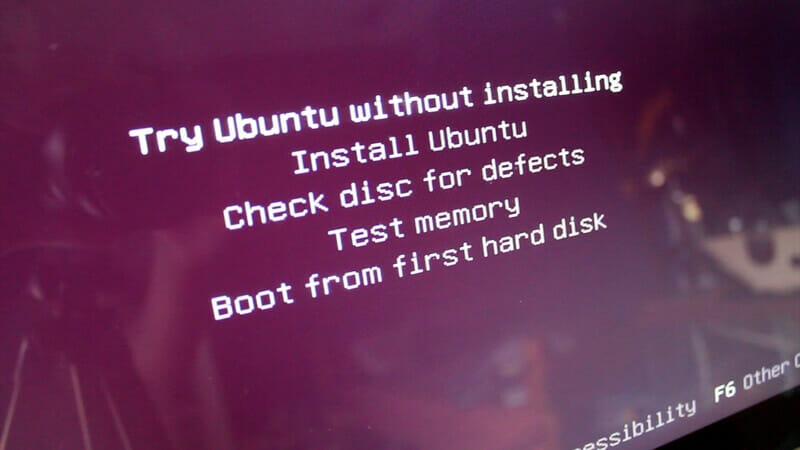
Installing Ubuntu is easy. There are many ways to install Ubuntu. You can grab the CD image from the Ubuntu website or other mirror sites. Or you can install it from Windows using the Wubi installer. Or you can install Ubuntu from the network or internet. The last method is using netboot.me.
Netboot.me is a service that allows you to boot nearly any operating system or utility on any computer with a wired internet connection. There are a number of ways to boot a computer with netboot.me. The simplest is to download a bootable image and burn it to a CD, USB memory stick, or floppy disk. Boot off it on any networked computer, and it will automatically fetch the latest boot options from netboot.me. netboot.me allows you to boot into the following distributions: Debian, Fedora, OpenSUSE, and Ubuntu. netboot.me provides gpxe images for USB sticks, CDs, and floppies — you can boot from a USB stick, a CD, or a floppy.
Follow these steps to boot Ubuntu over the network:
1. First download the gpxe image. You can grab it at http://static.netboot.me/gpxe/netbootme.usb
2. Plug in your USB flash drive. If it auto-mounts, unmount it first.
3. Then open your terminal and type this command:
sudo dd if=/path/to/netbootme.usb of=/dev/sdXNote: change /path/to/netbootme.usb to where you saved the netboot.me.usb file, and change X to your flash drive letter.
4. Restart your computer and boot from your flash drive.
5. The netboot.me boot menu will show up. Choose Installer > Linux > Ubuntu, or anything you like.
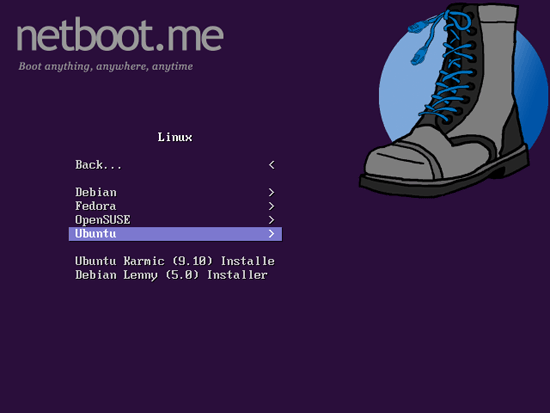
6. It will take a while to finish downloading. After it finishes you can follow the Linux installation wizard as usual.
7. Have fun!
To see netboot.me in action (source from netboot.me site):