On October 31, 2026 I asked Claude Code a simple question: what’s the best way to share a secret with you? I had two of them lying around in plaintext. One was a WordPress application password, used by my content sync script and by a WordPress MCP server. The other was a Google service account key for the skill that pulls my Search Console numbers. The day ended with a 1Password service account just for my agents.
Both agents I use, Claude Code and Codex, now read secrets as that account, and it can open one vault and nothing else. A 10-line op shim switches them to it. My own terminal still runs op as me, with every vault.
This post is for my own notes. The token expires, and when it does I want to renew it, or rebuild the whole thing, without digging through old sessions.
The secret goes to the program, not the agent
The first answer set the rule for everything after it. Anything an agent reads or prints ends up in the session transcript, which sits on disk and goes to the API. So the agent should be able to run the command that needs the secret, and never see the value.
1Password’s CLI, op, does that with op run. You write references instead of values, in the form op://vault/item/field, and op run swaps in the real values for the process it starts.1 My sync script reads two environment variables, so they go in a gitignored .env.op.local:
IK2_PROD_USER=op://Agents/ik2 prod/username
IK2_PROD_APP_PASSWORD=op://Agents/ik2 prod/password
op run --env-file=.env.op.local -- bash .claude/skills/sync-from-prod/scripts/sync.shThe agent sees the sync output. It never sees the password.
The Google key is a JSON file, and the script wants a path. Process substitution gives it one without writing the key to disk:
IK2_GOOGLE_SA_KEY=<(op document get "ik2 google service account" --vault Agents) \
  node .claude/skills/blog-analytics/fetch.mjs check
The MCP server got the same treatment. Its launch command became op run -- npx -y @automattic/mcp-wordpress-remote@latest, and its env block now holds op://Agents/... references where the username and password used to be.
What the agents must never run is op read or op item get --reveal. Both print the value, and then it’s in the transcript.
One vault just for agents
I made a vault called Agents and had Claude Code move both secrets into it. It created the items by piping JSON into op item create, so no value showed up in the chat, and it compared each copy with the original by checksum. Both matched.
A separate vault turned out to matter later anyway. You can’t give a service account access to your built-in Personal, Private or Employee vault, or the default Shared vault.2
The desktop app could see everything, so I made a 1Password service account
At this point op in an agent shell went through the 1Password desktop app with Touch ID. That works, but it means the agent can reach every vault in every account I’m signed into, and I’m signed into several, some of them for work. The secrets were all in one vault, but the agent could still open every other one.
1Password service accounts fix that. A service account gets a token, and the token only opens the vaults you list when you create it.2 I ran this in my own terminal, not through the agent, so the token never touched a transcript:
TOKEN=$(op service-account create "Claude Code agents" \
  --account my.1password.com \
  --vault Agents:read_items,write_items \
  --expires-in 90d \
  --raw) \
&& security add-generic-password -U -a "$USER" -s op-sa-agents -w "$TOKEN" \
&& unset TOKEN
A few choices in there:
--rawprints only the token, and it goes straight into a macOS Keychain item calledop-sa-agents. 1Password shows the token once, so if the Keychain step fails, you make a new service account.3write_itemsis there because my agents create items inAgents. It needsread_itemstoo.2--expires-in 90d, so the token runs out after 90 days and has to be renewed.- Permissions and vault access can’t change after creation. To change them you make a new service account.2
The token sits in the security arguments for a moment, where the process list could show it. security‘s own help calls -w with a value insecure. On a single-user Mac I accepted that.
Why I didn’t export the token in .zshrc
The first plan was the obvious one. Claude Code sets CLAUDECODE=1 in the shells it starts,4 so ~/.zshrc could read the token from Keychain and export OP_SERVICE_ACCOUNT_TOKEN whenever that variable is set. That’s also how 1Password’s own docs show the token being used: export it in the shell.5
I dropped it. An exported token sits in the environment of every agent shell for its whole life, and any env or printenv the agent runs would print it into the transcript. 1Password’s docs say to save the token in 1Password and never in plaintext,2 which doesn’t help when the token is what opens 1Password.
The second reason was Codex.
Codex’s sandbox can’t reach the Keychain
Before wiring anything into Codex, I had it run a probe inside its workspace-write sandbox: look up the Keychain item, then curl the 1Password sign-in host. Both failed (Codex 0.166.0 on macOS):
keychain-fail
curl: (6) Could not resolve host: my.1password.com
So in Codex, a shell profile can’t read the token, and even with a token op couldn’t reach 1Password. The same probe showed Codex sets CODEX_THREAD_ID in its shells, which gave me a way to tell a Codex shell apart from mine.
Codex has rules for commands that should run outside the sandbox. A rule with decision="allow" runs the matching command outside it without asking.6 One line in ~/.codex/rules/default.rules covers op:
prefix_rule(pattern=["op"], decision="allow")Rules are marked experimental in the Codex docs, so this may change.6
Ten lines of shell instead of an export
Instead of exporting the token, I put a small script called op in ~/.local/bin, which comes before Homebrew’s op (1Password CLI 2.41.1) on my PATH:
#!/bin/sh
REAL_OP=/opt/homebrew/bin/op

if [ -z "$OP_SERVICE_ACCOUNT_TOKEN" ] && { [ -n "$CLAUDECODE" ] || [ -n "$CODEX_THREAD_ID" ]; }; then
	OP_SERVICE_ACCOUNT_TOKEN=$(security find-generic-password -a "$USER" -s op-sa-agents -w 2>/dev/null) || {
		echo "op shim: no service account token in Keychain item op-sa-agents" >&2
		exit 1
	}
	export OP_SERVICE_ACCOUNT_TOKEN
fi

exec "$REAL_OP" "$@"
In a Claude Code or Codex shell, it reads the token from Keychain for that one call, exports it only to the real op it’s about to run, and hands over. The agent’s shell never holds the token. In my own terminal neither variable is set, so it runs the real op untouched, with Touch ID and all my vaults.
If the Keychain item is missing, it stops with an error. It never falls back to the desktop app, because that fallback would quietly hand the agent my whole account again.
Nothing else had to change. The env file and the process substitution call op, and op is now the shim. Claude Code also sets CLAUDECODE for the stdio MCP servers it starts,4 so an MCP server launched with op run goes through the shim too, as long as its command points at ~/.local/bin/op and not at Homebrew’s binary.
What an agent sees now
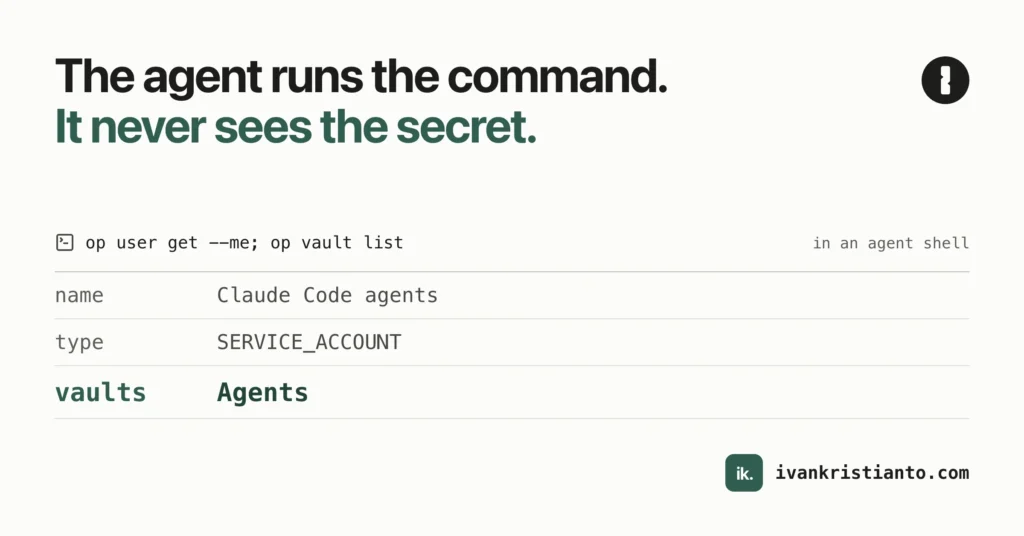
From inside either agent:
op user get --me --format json | jq '{name, type}'
op vault list
{
"name": "Claude Code agents",
"type": "SERVICE_ACCOUNT"
}
ID NAME
<vault id> AgentsOne vault. I also passed --account with one of my work accounts, and it still listed only Agents. In Codex I ran the same two commands in a fresh sandboxed session with CLAUDECODE unset, so the shim had only CODEX_THREAD_ID to go on. Same answer.
The real test came later that day. Another session pulled Search Console data with the Google key coming from 1Password through the shim, and it never knew the key’s value.
The rules I gave the agents
The shim enforces the limit. The agents still need to know why they only see one vault, or they’ll try to get around it. My global CLAUDE.md now says, roughly:
opin agent shells is a shim that signs in as the “Claude Code agents” service account. It seesAgentsand nothing else, and--accountdoes nothing. If a secret lives elsewhere, ask me to move it.- Never call
/opt/homebrew/bin/opdirectly to get around the shim. - The token has an expiry date. If
opsays it’s expired or revoked, stop and ask me. Don’t fall back to the desktop app. - Never
op reador--reveal. Create items by piping JSON toop item create. - Pass vault and item IDs in loops.
That last one is about rate limits. On my personal account a service account token gets 1,000 reads and 100 writes an hour, and the whole account gets 1,000 requests a day.7 op service-account ratelimit shows where you are:
TYPE       ACTION        LIMIT    USED    REMAINING    RESET
token      write         100      0       100          N/A
token      read          1000     0       1000         N/A
account    read_write    1000     5       995          21 hours from now
A plain op item get by name costs 3 reads. With the item and vault IDs it costs 1.5 For one sync that doesn’t matter. For a skill that loops over secrets, it does.
Codex doesn’t read CLAUDE.md, so the same rules went into ~/.codex/AGENTS.md, plus one more: use op run to inject secrets, never as a way out of the sandbox.
What the shim doesn’t stop
It’s a guardrail. An agent can still run /opt/homebrew/bin/op by its full path. That goes to the desktop app and asks for Touch ID, so I’d see it happen, but nothing blocks the attempt.
The Codex rule is wider than it looks. It matches anything that starts with op, and that includes whatever comes after op run --. Codex’s own policy checker shows it:
codex execpolicy check --pretty --rules ~/.codex/rules/default.rules -- op run -- rm -rf /tmp/x"decision": "allow"So op run -- <anything> runs outside the sandbox too. I accepted that for now, and the AGENTS.md rule tells Codex not to use it that way. A rule is something a model reads, though, so treat it as a request.
When the token expires
I haven’t renewed it yet, so this part is a plan.
There’s no CLI command for it. op service-account only has create and ratelimit.3 Renewing a 1Password service account token happens on 1Password.com:
- Before the expiry date, sign in to 1Password.com, open Developer in the sidebar, then Service accounts, and pick “Claude Code agents”.
- Under Token, choose Rotate Token. The new token keeps the same permissions, and you pick when the old one expires (the docs give now, 1 hour or 3 days as examples).8
- In my own terminal, not an agent’s, overwrite the same Keychain item.
-Uupdates it in place. With-was the last option,securityshould prompt for the value, which keeps it out of the process list and shell history:
security add-generic-password -U -a "$USER" -s op-sa-agents -w- From an agent, run
op user get --meandop vault listagain. The shim reads Keychain on every call, so nothing else changes. - Update the expiry date in
CLAUDE.mdandAGENTS.md.
The docs don’t say whether a token that has already expired can still be rotated, or what expiry the new token gets.8 That’s why step 1 says before. If rotation isn’t offered, the fallback is the create command above and Revoke Token on the old account, which cuts its access right away.8
I also haven’t seen what an agent gets when the token has expired. The Keychain read will still work, so the error will come from op itself, not from the shim.
If you want to set this up
- Pick the rule first: the program gets the secret, the agent gets the output.
- Make a vault for agents. Service accounts can’t use your built-in vaults anyway.
- Create the service account from your own terminal and send the token straight into Keychain, or whatever store you trust.
- Give it to agent shells per call, not by exporting it in your shell profile.
- If you use Codex, run a probe in its sandbox before you build anything that depends on the Keychain or the network.
- Put the expiry date somewhere your agents read, and in your calendar.
This is the credentials half of something I talked about in Letting an AI agent into your hosting, safely: start agents with the least access that does the job. 1Password also has a beta Environments MCP server for Claude Code, Codex and other clients, and it never returns secret values to the agent.9 I haven’t tried it. For more on how I work with agents day to day, see How to code with AI agents.
Sources
- 1 https://www.1password.dev/cli/reference/commands/run ↑
- 2 https://www.1password.dev/service-accounts/get-started a b c d e
- 3 https://www.1password.dev/cli/reference/management-commands/service-account a b
- 4 https://code.claude.com/docs/en/env-vars a b
- 5 https://www.1password.dev/service-accounts/use-with-1password-cli a b
- 6 https://learn.chatgpt.com/docs/agent-configuration/rules a b
- 7 https://www.1password.dev/service-accounts/rate-limits ↑
- 8 https://www.1password.dev/service-accounts/manage-service-accounts a b c
- 9 https://www.1password.dev/environments/mcp-codex-server ↑