WordPress has post thumbnail support but it is not enabled by default. You need to explicitly enable it from your theme’s functions file. If you are a WordPress theme designer and want to automatically display post thumbnails in your post lists, such as on the homepage, this has become more popular nowadays.
To add post thumbnail support in your theme, just add these two lines in your theme’s functions.php:
add_theme_support( 'post-thumbnails' );
set_post_thumbnail_size( 50, 50, true ); //For 50x50 px thumbnail
How to use it:
- When creating a new post and uploading a new image, you now have a “Set image as featured” option.
- Your featured image will automatically be set to 50x50px as you set in functions.php.
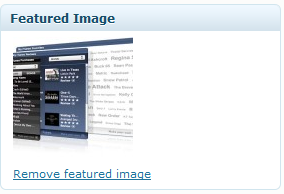
- As soon as you make the image a featured image, you will see it in the post editor.

How to use it in your theme:
<?php if (function_exists('has_post_thumbnail')): if (has_post_thumbnail()):?>
<div class="post_thumbnail">
<?php the_post_thumbnail(); ?>
</div>
<?php endif; endif; ?>
Note: the_post_thumbnail() function should be called within the Loop.
That’s it, now you have post thumbnail support for your WordPress themes.