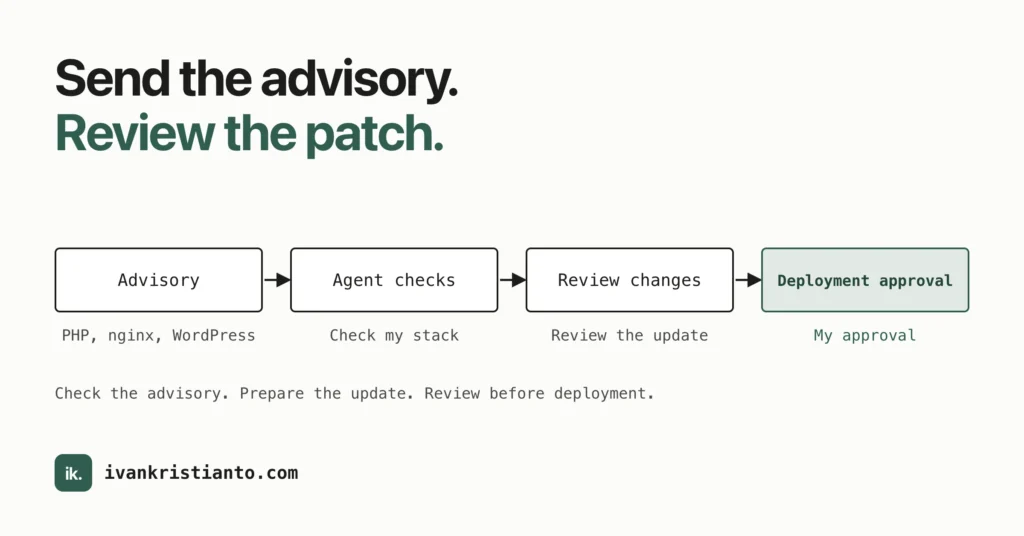
An agent makes my WordPress security updates faster and easier. I can send it an advisory and ask whether my stack is affected.
The short version: the agent does the checking and the preparing, and the decision to ship stays with me. Three updates from this week show how that goes, for nginx, WordPress and PHP.
I’m writing this because updating with an agent has been much easier for me. My blog runs WordPress in Docker images, which I described in my architecture post, and the agent works inside that repository.
From advisory to a change I can review
The flow starts with a message from me: the advisory, and a question about whether it affects my setup. The agent reads the advisory, then looks at my actual configuration instead of answering from a version number. If something needs to change, it prepares the update and tests it. Then I review the proposed change. Whether it goes out is my call.
Advisories describe conditions, such as a feature that has to be enabled or a setup that has to exist. Matching those conditions against my own config is the part the agent takes over, so what reaches me is an answer and a change to read.
For WordPress I asked for the update first and the release afterward.
Three recent updates
The changes were small, but each needed a different check: nginx’s configuration, the WordPress version baked into the image, and the PHP runtime inherited from a base image.
nginx: check the feature the advisory needs
On November 18 nginx fixed two HTTP/2 bugs, alongside other security issues.1 I sent the Wiz write-up and asked whether they applied to my blog’s container. Both bugs require HTTP/2 to be enabled on the affected nginx server.2
The agent checked the repository’s config: it listens on port 80 with no HTTP/2 enabled.3 That matters because HTTP/2 at a proxy in front of the container doesn’t mean the container itself uses it. The base image got updated anyway, because the release also carries other nginx security fixes.1 The configuration check answers a narrower question than whether the whole site is safe.
WordPress: update the image, then check its contents
WordPress 7.1.5 was a security release. Its announcement lists an unauthenticated privilege escalation that could lead to remote code execution.4 I sent the announcement and asked for the update.
For this Docker setup, that meant changing the WordPress base image from 7.1.4 to 7.1.5, keeping PHP 8.5 FPM and Alpine.5 The agent built the images and checked the bundled core version and WordPress checksums. Changing a tag in a file is only the preparation; checking the built image confirms what it contains before release.
PHP: don’t let a cached base hide an old runtime
PHP 8.5.13 came out as a security release on November 19.6 The agent checked the available runtime images and prepared the update for review. That followed October’s PHP security work, when a temporary mitigation covered the wait for patched images.
The proposed safeguard sets a minimum PHP version of 8.5.13 for both the application and command-line images. If a cached base contains an older runtime, the build fails and asks for a rebuild with --pull to fetch a fresh base.5 That catches a gap between an upstream image being patched and a local build actually using it. It’s a prepared build check, not a claim about the PHP version currently serving the site.
What stays with me
An agent can make mistakes, and a prepared update still needs to be deployed and checked on the running site.
If you maintain your own WordPress stack, try the same order. Send the advisory, ask the narrow question of whether it applies to your config, and ask to see the proposed change before it goes anywhere near production.
Sources
- 1 https://nginx.org/en/CHANGES-1.30 a bSource 1 https://nginx.org/en/CHANGES-1.30
- 2 https://www.wiz.io/blog/nginx-http2-rce-vulnerabilities ↑
- 3 https://github.com/ivankristianto/ik2/blob/4282c9f35b900e785889749a6a3a0ea19723c36a/docker/nginx/default.conf ↑
- 4 https://wordpress.org/news/2026/11/wordpress-7-1-5-release/ ↑
- 5 https://github.com/ivankristianto/ik2/blob/58eefb190fe98d5ae0d434e6a88c0249b0d6ea37/Dockerfile a b
- 6 https://www.php.net/archive/2026.php#2026-11-19-4 ↑