I have been using Ubuntu for almost 3 years. I started using it since Ubuntu 8.04 Hardy Heron released. And when Ubuntu released a new upgrade, i prefer do fresh install rather than upgrade the package. Even it's takes time to configure and restore my backup files so i could do my work. And when my work mate want to use Ubuntu too, i install it for him and again, i configure and tweak it so he could do his work. So i'm thinking is there a way to clone my Ubuntu instead of configure it per … Read more...
Do You Know What Your Browser Send and Receive When You Are Browsing?
October 22, 2010 • 3 Comments
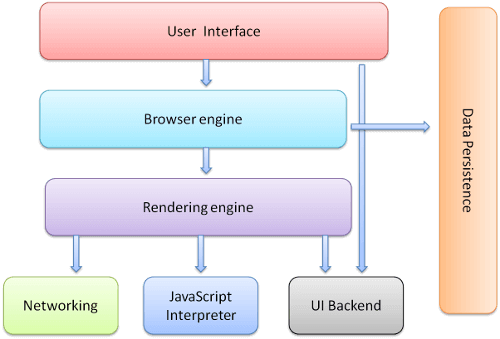
When we are browsing to the internet, visiting websites and reading articles, we are using a web browser to do so. A web browser is an interface for us to render the code (HTML, javascript and css) that we are sending and receiving from and to the web server. But do you know what exactly your browser send and receive when you are browsing?When you are visiting a website, your browser will request the page you want to view to the server and then the server receive and process it then return … Read more...
[HowTo] Create Ubuntu Live CD
October 21, 2010 • 7 Comments
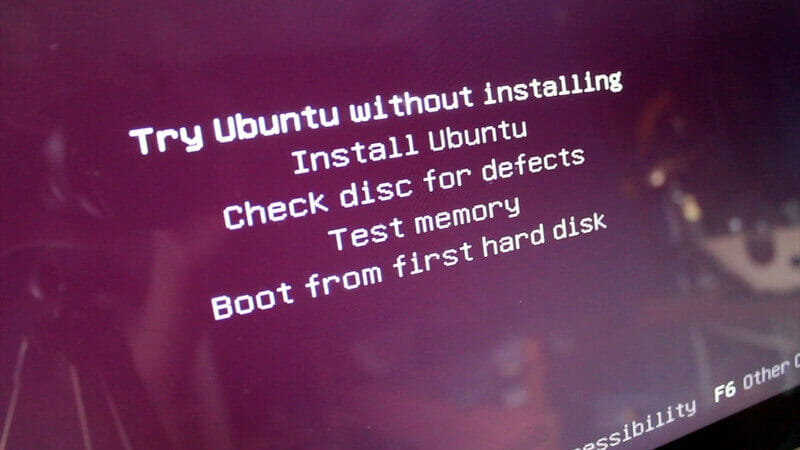
Ubuntu 10.10 code name Maverick Meerkat has been released on October 10th 2010 you can download it from ubuntu.com for free. But when you are an Ubuntu advance user, you need to add more package or remove some package that you won't use. Then you can live boot your custom Ubuntu live CD. And it's not limited to live CD, you can make it as live USB too.There are some reasons you want to customize Ubuntu live CD:Make your own Linux / Ubuntu distribution, something like rebranding but … Read more...
Most Common HTML Mistakes
October 20, 2010 • Leave a Comment
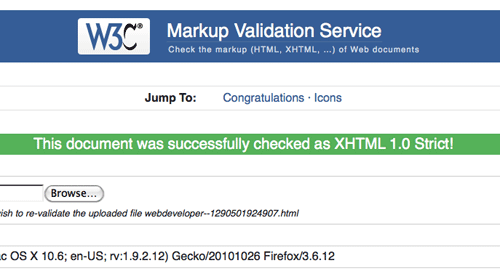
If you are still new in web designing and web development, you must be familiar with HTML code. And as i writing this, now the new HTML standard is HTML 5. Read my article HTML5 the next generation of web to know more about HTML5 standard.If you are still new or still learning to code HTML, there are a few most common mistake in HTML code that you might do:Don’t forget to put the DOCTYPE The Doctype describes what kind of HTML you are using. If it’s not there, you don’t know if … Read more...

Migrating Your Website To New Server Without Down Time
October 19, 2010 • Leave a Comment
Migrating your site to new server need to repoint your domain nameserver to new server. DNS propagating need maximum 48 hours to update. So when you visit your site in old server for the last 48 hours then your DNS server still cache your domain, you have to wait maximum 48 hours to see the new server.This down time can be avoid by setting your website to new server prior repoint your domain. But how to do that, you new server only accessible with IP address or server domain, because your … Read more...
Setup Account Package And Create Account In WHM
October 19, 2010 • Leave a Comment
After you setup your domain as nameserver, your next step is create a package then create account. So you can host your website on your VPS. WHM has a built in function to manage your VPS as share hosting, and you can sell your service with multiple package option. And every account will have their own interface so called CPanel, to manage their own files, database, email and many more.Login to your WHM control panel. http://yourdomain/whm. And give root username and password. After … Read more...
How To Make Your VPS Domain As Nameserver
October 18, 2010 • 2 Comments
After you setup WHM on your VPS, now your next step is to setup your domain domain as the nameserver host. To setup your domain as a nameserver host, you need to edit your domain configuration in your domain registrar.Usually nameservers are like this: ns1.yourdomain.com, ns2.yourdomain.com. This nameserver will be use by your hosting client, so their domain will point to your server and accessible on the net. See the example below if you host your domain in Godaddy.Login to your … Read more...
Step By Step Setup a VPS With WHM/Cpanel
October 17, 2010 • 3 Comments
A linux server is one of the best operating system for server purpose. It is secure, powerful, fast and free. But setting up the a Linux server is time consuming, you should have a proper technical skill in computer and networking technology. But you can skip all of that technical skill just by using a powerful tools called WHM/cPanel. WHM (WebHost Manager) or cPanel is a Unix based web hosting control panel that provides a graphical interface and automation tools designed to simplify the … Read more...

Someone Trying To Inject IvanKristianto.com
October 16, 2010 • 5 Comments
Recently i have a bad news. Beside the digital world is at war between piracy community and anti piracy company. My blog also being attack by unknown. In my opinion they are trying to find a vulnerability using a bot. They try to find a way to inject a malicious code using local file inclusion vulnerability.How to inject malicious code using local file inclusion vulnerability:Check if the website have vulnerability:If your target site have url like that then it's a big possibility … Read more...

Beginners Guide: Backup And Restore Compressed MySQL Dump File
October 16, 2010 • Leave a Comment
As you know your website data is stored in your database server, in this case is MySQL. To prevent disaster, backup your data regularly is a must for you and every website owner. There are many ways to backup MySQL data, one of them is using mysqldump to dump your MySQL data to a file.But mysqldump output is plaint text files with full of SQL commands. And in linux you can compress it using gzip with pipelining command.To backup and compress MySQL dump file:Explanation: the … Read more...
