Since the nightmare crash between Xorg and Intel graphic card on Ubuntu Jaunty, now you have a good news. You can update your Intel driver to the latest update to this great hardware acceleration for playing h.264 video. Or in other words we now have Hardware acceleration for HD content with our Intel video cards. And as the new video standard on the HTML 5, h.264 video format will be used.So if you have an intel video cards and using Ubuntu 10.04. You should install this Intel latest driver … Read more...
[HowTo] Backup Your Files And Upload To HotFile Or Rapidshare
July 8, 2010 • 5 Comments
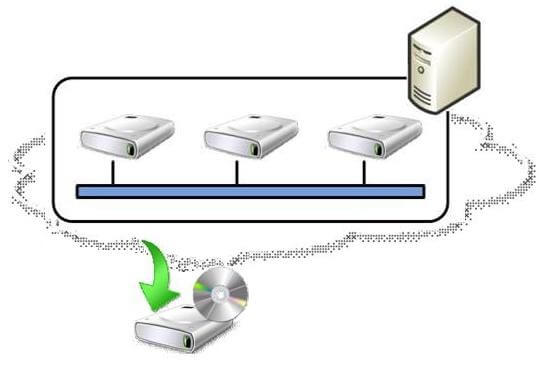
There are lots of File server service in the internet. You can host your files for free. The biggest 2 are Rapidshare and Hotfile. They both offer free service to host your file. And for hotfile offer you affiliate that you can earn money per 1000 downloaded file. But for now i will talk about backing up your files using Rapidshare or Hotfile.I got this script from WJunction, and i feel it is a great script to share with you and this is a free script developed by the community. All the … Read more...

Googlubuntu – Ubuntu And Kubuntu Search Engine
July 5, 2010 • Leave a Comment
"Google + Ubuntu = Googlubuntu. Search engine based on google for linux users. Ubuntu and Google together." That's what it says on their description. I found it today and i thought it really useful and want to sahre with all of you. Googlubuntu is using Google customer search to search all related articles and sources about Ubuntu and the others.Googlubuntu resources are from: Ubuntu.com, Kubuntu.com, Edubuntu.org, Launchpad.net, ubuntuforums.org, Kubuntuforums.net, ubuntuguide.org, … Read more...
Things You Want To Do After Install Ubuntu 10.04 Desktop Part 4
June 17, 2010 • 2 Comments
This is the next of previous post Things You Want To Do After Install Ubuntu 10.04 Desktop Part 3. In this post i will show you how to install the list of software from the previous post. To make your Ubuntu desktop as a full-fledged replacement for a Windows desktop.In this post is only for developer, but feel free if you want to install it too.To install Gedit with additional feature, please refer to this post.For install Apache, MySQL, PHP and PHPmyadmin for testing environment, … Read more...
Things You Want To Do After Install Ubuntu 10.04 Desktop Part 3
June 17, 2010 • 4 Comments
This is the next of previous post Things You Want To Do After Install Ubuntu 10.04 Desktop Part 2. In this post i will show you how to install the list of softwares from the previous post. To make your Ubuntu desktop as a full-fledged replacement for a Windows desktop.Okay now let's continue to the next step. I assume you still login with root account in the terminal. If not please login first.I'm going to show you how to install the additional softwares, please follow this steps: 1. On … Read more...
Things You Want To Do After Install Ubuntu 10.04 Desktop Part 2
June 17, 2010 • 6 Comments
This is the next of previous post Things You Want To Do After Install Ubuntu 10.04 Desktop Part 1. In this post i will show you how to install the list of softwares from the previous post. To make your Ubuntu desktop as a full-fledged replacement for a Windows desktop.Okay, now let's get started.First thing i am going to do is activate the root user. Follow this steps to do it: 1. Open your terminal, and type this command2. Type your root password 3. Then login as root, as i assume … Read more...
Things You Want To Do After Install Ubuntu 10.04 Desktop Part 1
June 17, 2010 • 7 Comments
Ubuntu 10.04 Lucid Lynx has been released since April 2010. In my opinion i like Ubuntu the best, and more since it released this 10.04 version. There are couple things you need to do after you fresh install Ubuntu. There are lot of free software you can grab from the repository.For Graphic Apps: * The GIMP - free software replacement for Adobe Photoshop * F-Spot - full-featured personal photo management application for the GNOME desktop * Google Picasa - application for organizing and … Read more...
The Best Media Player In Ubuntu
June 14, 2010 • 15 Comments
The default media player on Ubuntu is Gnome player. It is okay but not complete enough for me. The best media player on Ubuntu for me is VLC media player. VLC is a free and open source cross-platform multimedia player and framework, that plays most multimedia files as well as DVD, Audio CD, VCD, and various streaming protocols and it is simple to use, yet very powerful and extendable.VLC media player installation steps 1. Open your terminal and login as root 2. Run this … Read more...
[HowTo] Run Your Script At Background Process On Ubuntu
June 10, 2010 • 2 Comments
There are lots of script build by he Linux users and communities. And some of them are really useful. And most of the i use wget and rsync for download and backup my websites. The characteristic of Linux shell, when you close it the session of the login also closed. So if you running a script then you have internet disconnect or anything that make you disconnect from the server, the process will be stop as the session ended.To keep running the script you need to run it at background process. … Read more...
[HowTo] Install FTP Server With User Management In Ubuntu
June 5, 2010 • 37 Comments
Linux especially Ubuntu have many FTP server applications. And PureFTPd is one of the most stable and good FTP server application. We can configure PureFTPd to use virtual user stored on MySQL database rather than using system user.This is much more performance and allows to have thousands of ftp users on a single machine. In addition to that I will show the use of quota and upload/download bandwidth limits with this setup. Passwords will be stored encrypted as MD5 strings in the … Read more...
